 bmux
· bmux guides
Send the posts you browse to your own webhook
Send observed social posts to your own webhook from bmux. Use cases, setup, JSON payloads, delivery counts, and frequently asked questions.
Introduction
Enable a hook in a bmux social plugin and the posts it observes are sent to your HTTP endpoint. It works during ordinary browsing and automated plugin sessions, collecting posts loaded into the page.
A useful discussion is easy to lose after you close the feed. Bookmarks keep the link; a hook also sends the observed post text and available metadata to a system you control. You can search it later, group it with related posts, or feed it into an existing workflow.
 Observation, queue, delivery. Unchanged records are suppressed within each platform and browser profile.
When would you use this?
Hooks fit work where you already read social feeds and want to keep what you encounter. Here are four ways to use the incoming JSON. The storage and processing happen in your receiver.
Collect product research
Browse discussions about a problem you are working on. Save the text and source URL, then tag recurring complaints or feature requests in your research database. Keep the URL beside each note so you can return to the discussion.
Build a searchable reading archive
Send posts from several platforms into one search index. Later, find a reference by its wording or topic instead of remembering which feed contained it. Use a dedicated research profile if you want that collection kept separate.
Filter posts into alerts
Have your receiver look for a product name or phrase and forward matching records to your notification service. This covers posts observed during your browsing or plugin runs; coverage follows the pages you load.
Prepare a research digest
Group the day's collected records by topic and generate a summary with links back to the originals. A script can assemble the digest, and an optional model can summarize the text. The hook supplies the records.
If saving a few links is enough, bookmarks are simpler. Hooks become useful when you want a repeatable step after collection: indexing, tagging, filtering, or summarizing. For a recurring browsing task, the CLI walkthrough explains how to reuse a profile and work in a background pane.
Point a plugin at your endpoint
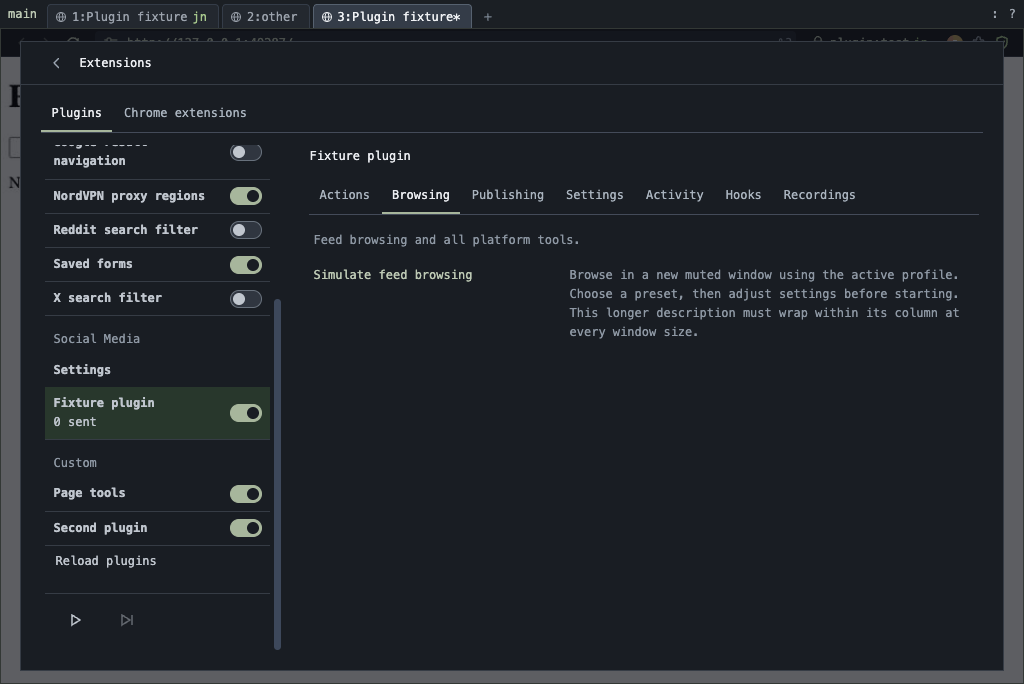
- Open Extensions → Social Media, select a platform, and open Hooks. The plugin must be enabled.
- Enter the full endpoint URL and choose Social posts as the payload format.
- Choose the authentication your receiver expects: none, a bearer token, or an API key with a configurable header name.
- Turn on Send observed posts and select Save hook. Browse a feed and check Recent deliveries.
Each platform has its own endpoint. You can send Reddit to a research archive and LinkedIn to a separate service, or send both to one receiver and route by the platform field.
Social post JSON example
Requests use POST with Content-Type: application/json. Each body contains a platform identifier and up to 100 posts. This example uses fictional Reddit content:
{ "version": 1, "platform": "reddit", "posts": [ { "id": "https://www.reddit.com/r/browsertools/comments/example/", "url": "https://www.reddit.com/r/browsertools/comments/example/", "text": "How do you organize browser research?", "author": null, "publishedAt": "2026-11-10T08:00:00.000Z", "media": [], "profileId": "research", "observedAt": "2026-11-10T08:04:12.000Z", "engagement": null } ]}profileId identifies the browser profile; observedAt records when bmux captured the post. Author, publication time, media, and engagement depend on what the platform exposes. Accept missing or null values.
Use the post URL or ID to update an existing record. A changed post can be sent again, including when engagement counts change. If you want separate archives by browser profile, include profileId in your record key.
Share settings or separate profiles
Shared across profiles applies the platform's hook settings to every profile without an override. Select a browser profile and save to give it a different endpoint or credential. An override with sending disabled excludes that profile. Use shared settings removes the override.
Check whether the posts arrived
The Hooks tab shows post counts for sent, pending, and failed, along with recent delivery results. Sent increases after the endpoint returns a successful HTTP response and persists across launches.
 Temporary failures stay pending while bmux retries. Successful requests move their posts into the sent count.
Your receiver can return {"inserted": 1, "skipped": 0} to show its own counts in recent deliveries. The sent counter measures records in successful requests; inserted and skipped describe what your service did with them.
Network errors, server errors, and HTTP 429 responses retry with increasing delays, up to ten attempts. Each batch keeps the same Idempotency-Key across retries. Store completed keys at the receiver to avoid processing a retried batch twice.
Frequently asked questions
Does this collect an entire platform or my old posts?
It sends posts the enabled plugin observes in loaded pages. To collect more, browse or run a plugin session that loads more posts. Enabling a hook does not start a historical import or guarantee coverage of every matching discussion.
Do I need to write code?
You need an HTTP endpoint that accepts the JSON request. That can be a small service you write or a webhook workflow in a tool you already use. Configure its authentication in Hooks, then decide where the receiver should store or forward each record.
Do I need an AI agent or a paid model?
Ordinary browsing can produce observations without an agent. Delivering the JSON does not require a model call. You can add a model in your receiver if you want summaries or topic classification.
Can I collect from just one browser profile?
Yes. Leave the shared hook disabled and enable an override for your research profile. Private browsing pages are excluded from observation.
Will I receive the same post more than once?
Unchanged observations are suppressed per platform and profile. Changed records can arrive again, and a failed request can be retried. Update records by post ID or URL and use the batch's Idempotency-Key to handle retries.
Does “sent” mean the post was saved in my database?
It means your endpoint returned a successful HTTP response. Your receiver determines when to acknowledge a request. Check its stored records too; optional inserted and skipped counts make that easier to inspect in bmux.
Can these hooks publish posts too?
These hooks deliver observed posts to a receiver. Publishing is a separate workflow. The social scheduling article describes using scripts and a scheduler for that work.
Try it with one feed
Connect your first social post hook
In bmux, open Extensions → Social Media → your platform → Hooks. Connect your receiver, browse a few posts, and confirm a delivery in both bmux and your destination before adding more platforms.
| Destination | Receiver action |
|---|---|
| Research database | Store post text and source URL |
| Search index | Index records across platforms |
| Notification service | Forward matching posts |