 bmux
· bmux guides
bmux 0.1.12: Window Locks, Agent Recordings, and a Loaded Page Limit
bmux 0.1.12 adds window and viewport locks, a loaded background page limit, agent activity hooks with local recordings, and plugin observer panels.
Introduction
bmux 0.1.12 adds controls for windows you want to keep exactly as they are. A locked window can't be closed by accident, and a locked viewport keeps each page at a fixed size while the desktop window around it changes. This release also limits how many hidden pages stay loaded, and it can record what a remote agent did in the browser.
This update covers the week since 0.1.11. Most of the other changes are fixes for restored pages, agent pacing, and remote streams that stopped after GPU or relay failures.
Lock a window or its viewport
Right-click a window tab and choose Lock Window. A locked window can't be closed from its tab, the close shortcuts, or kill-window. Its session can't be closed either, and closing the last pane of a locked window does nothing. The same action is available as :lock-window and :unlock-window in the command prompt.
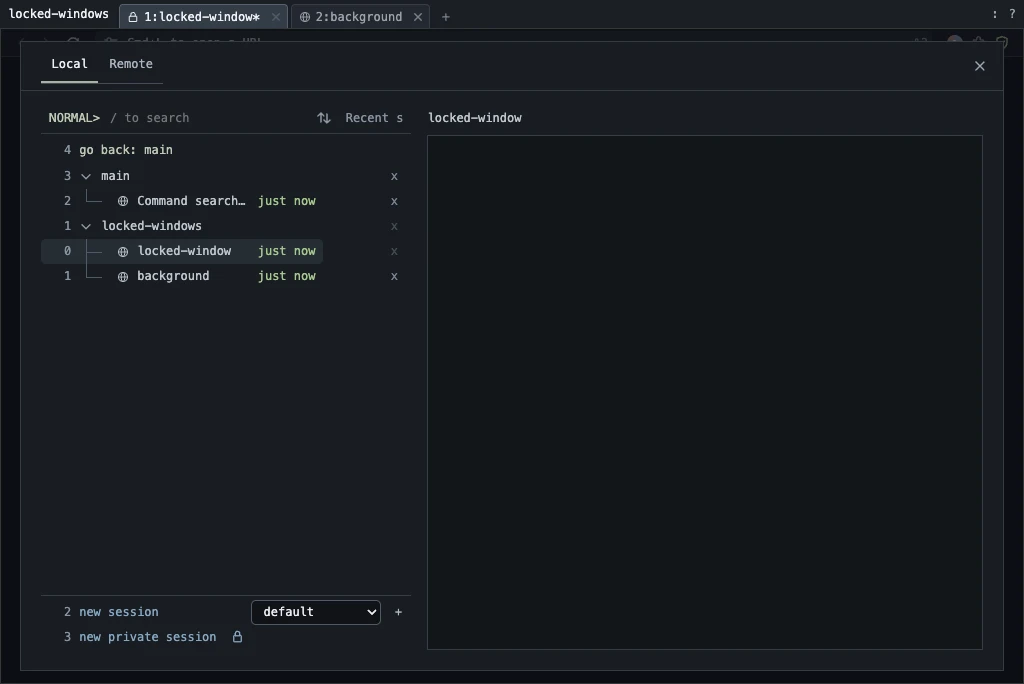 A locked window in a disposable CI profile. The lock icon appears on the tab, and the session can't be closed while it contains the locked window.
In the screenshot above, the lock icon appears on the tab only. Session and window lists stay unchanged. Unlock the window to close it.
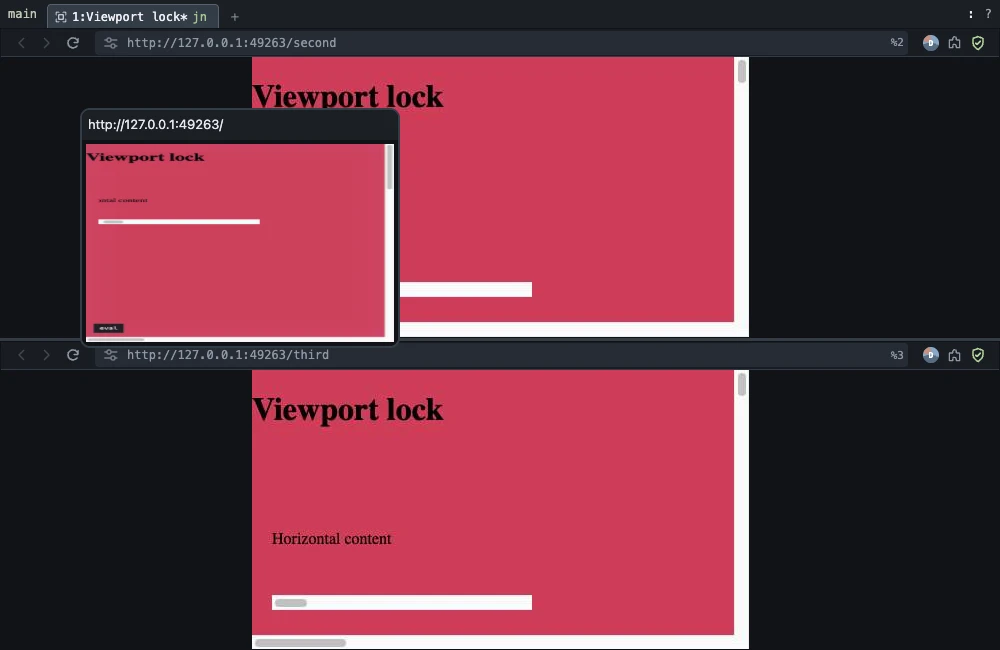
Lock Viewport in the same menu fixes the size of every pane in the window. Resizing the desktop window, switching to a smaller client, or relaunching bmux keeps the pages at their saved size. When a pane is smaller than its locked page, the page scrolls inside it. When the pane is larger, the page sits in the middle with empty space around it.
Locked viewports in a split window after the window grew. Local test pages in a disposable CI profile.
Scrolling over a locked page works as usual, including Shift + mouse wheel for horizontal scrolling. Hold Shift and scroll in the empty space around the page to pan the outer viewport. The lock is saved with the session and also accepts a target window: :lock-viewport -t 2.
Keep fewer hidden pages loaded
Settings > Memory has a new Loaded background pages limit. It defaults to 8. Hidden pages unload oldest first, based on the Recent list, and reload when you select them or an agent addresses them. Set memory.maxLoadedBackgroundPages in config.yaml to choose a value between 1 and 256, or 0 to turn the limit off.
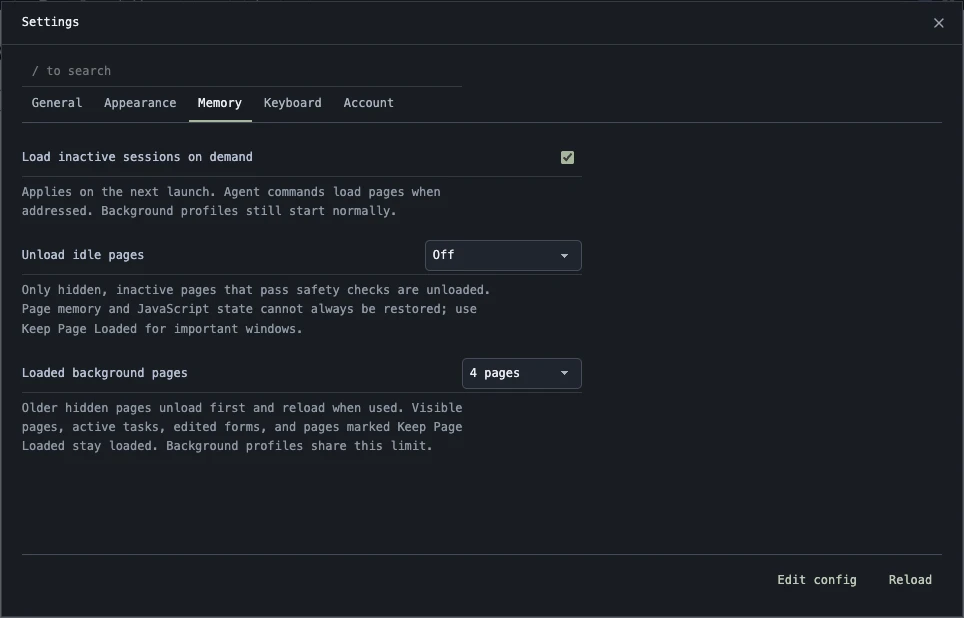 The Memory tab in a disposable CI profile, where the test sets the limit to 4 pages.
The limit applies to every profile, including background profiles and pages with cookies or scripts. Some pages always stay loaded, so the count can go over the limit:
| Stays loaded | Why |
|---|---|
| Visible panes | You are looking at them |
| The four most recent hidden panes you viewed | Kept for 20 minutes after you leave them |
| Active automation, downloads, playing audio, open developer tools | Unloading would interrupt them |
| Edited form fields and rich text editors | Unloading would lose the draft |
| Private pages and panes with Keep Page Loaded | Explicitly protected |
Unloaded pages keep their position and back and forward history. JavaScript state is recreated on reload. The memory guide describes the remaining options, including disk-backed shared memory for Linux hosts with a small /dev/shm.
Several fixes came out of testing this limit. Navigating from an unloaded page now keeps its earlier history. Typing a new address while a restored page is still loading takes effect immediately, and pressing Stop ends the restore cleanly. Draft protection used to check only the first rich text editor on a page; it now checks all of them.
Record what a remote agent did
Remote settings has a new Activity hooks section. A hook sends agent events to an HTTPS webhook or a ClawTab job. Each hook can be filtered by service, host, session, pane, profile, or agent ID, and it starts disabled. Events contain IDs, timestamps, the command method, outcome, and duration. They don't include page content, URLs, command arguments, or screenshots.
An agent session starts with its first command and ends after 30 seconds of inactivity. The example ClawTab job in the bmux repository uses the start and end events to record the agent's remote panes on your Mac. bmux opens its own viewer for this, so it doesn't take over the window you are using or acquire control of the remote browser.
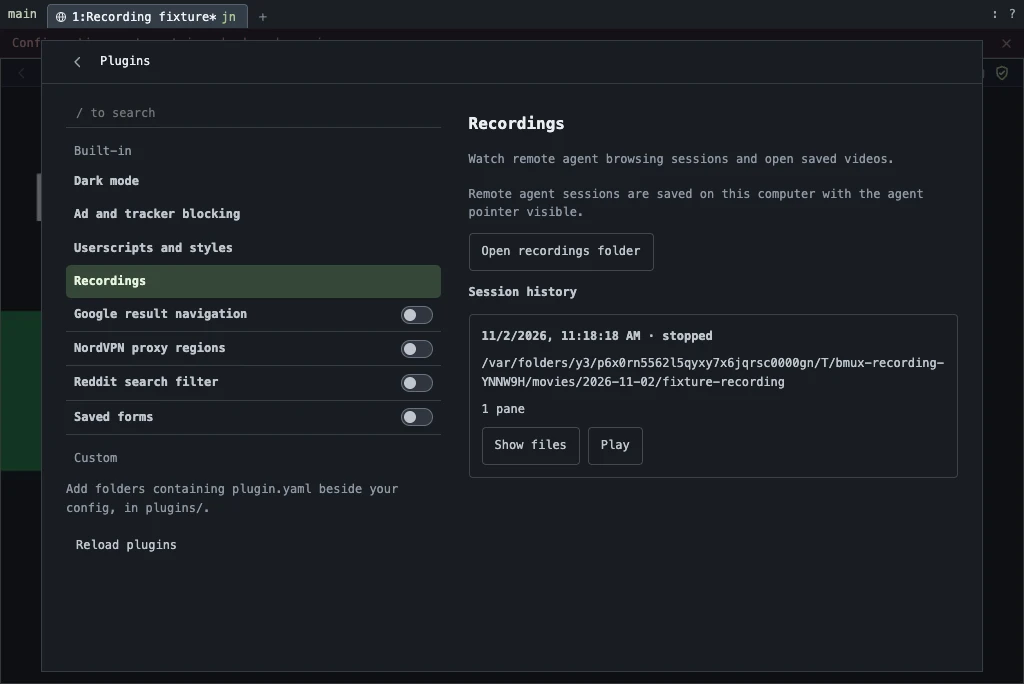 Plugins > Built-in > Recordings after a test recording in a disposable CI profile. The path is the test's temporary output folder.
Saved sessions are listed in Plugins > Built-in > Recordings, shown above. Each entry has Stop, Play, and Show files. Videos go to ~/Movies/BMUX by default, one continuous WebM file per pane, converted to MP4 when FFmpeg is installed. The agent cursor is part of the capture, so clicks and scrolling done through bmux commands are visible.
A recording uses one live view from your Relay allowance per pane. It stops after 35 minutes, when the agent session ends, or when you stop it. If the host GPU process crashes or the relay connection drops, the recording reconnects and the gap is noted in the recording's manifest. Your Mac needs to stay awake and online; nothing is recorded while it is offline. The recordings guide lists the CLI commands and hook configuration.
Show plugin progress beside the page
Plugins can now publish a small observer panel above the pane where they run. It is a separate native view: the website can't read or click its controls, and page screenshots contain only the website.
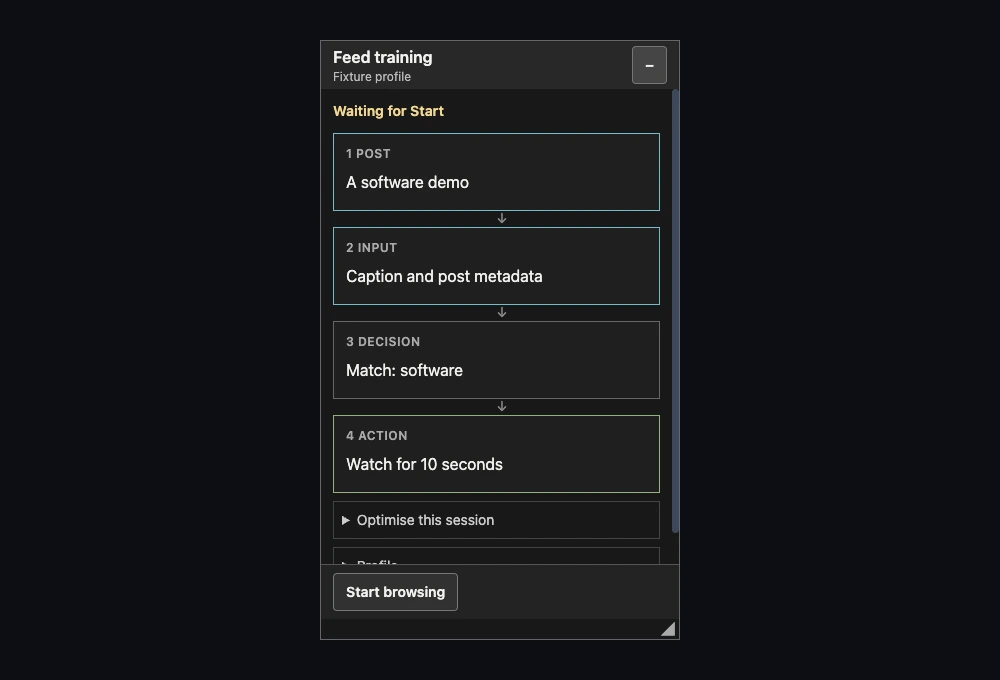 A fixture plugin's observer captured in a disposable CI profile, shown at its actual size on a plain background.
The observer in the screenshot shows the steps of a sample plugin and its controls. You can drag it by its header, resize it from the corner, or collapse it. Its position is kept per client, and it stays inside the pane when the window size changes. After the plugin finishes, the panel remains with an option to restart it with the same parameters.
Plugins that need a model can use the new ai.decisions capability. bmux sends the request with your signed-in subscription, so the script never sees an account token or provider key. The service enforces a monthly allowance, and hooks can't use it. The observer guide covers the content model and controls.
Agent pacing and identity fixes
Viewport screenshots no longer resize the page or wait for the social-site action interval. Plugins can mark a page evaluation as an observation, which runs outside the action queue. Together these let a plugin read the visible post, take a screenshot, and decide what to do while its next click still waits for the cooldown. The agent guide has the details.
Codex agents in tmux are now matched against live Codex panes, so a saved conversation with the same name no longer claims the terminal. The agent button in a pane shows the terminal pane ID.
Automation warnings clear themselves once you fix the problem. After you navigate or type on the affected website, bmux checks it again and removes the pause if the warning is gone. Session resets moved into each website's dropdown in the alert.
Smaller changes
- Address suggestions show relative numbers, like the session list, and keyboard selection stops at the first and last result.
- Pane zoom is remembered separately for each client window.
- Pinned tabs show a mute button while their window is playing audio.
- The Vim reply editor closes cleanly and restores the original page field.
- Remote viewers renew their TURN credentials before they expire, and remote capture stops cleanly when the page's renderer or GPU process crashes.
The web viewer also changed this week. It uses Sessions, Settings, and Search tabs, and you can sign in with Google or Apple. After signing in, you can add a password in Settings and use email sign-in afterwards. The native iOS companion has been updated for Expo SDK 58 and iPhone Duo, and it is still in development.
Get bmux 0.1.12
Download the update from the homepage or the 0.1.12 release. Packages cover macOS Apple Silicon and Intel, Windows x64, and Linux x64 and arm64. macOS packages are signed and notarized.
Homebrew users can run brew upgrade --cask tonisives/tap/bmux. Installed macOS releases also download updates in the background and apply them when you quit, or through bmux > Restart to Update.
The complete source comparison lists every change since 0.1.11.