 bmux
bmux· bmux guides
bmux 0.1.11: Remote Workspaces and Clearer Agent Activity
bmux 0.1.11 brings remote workspaces, machine trees, agent feedback, revised Bot settings, and new pane layout commands.
Introduction
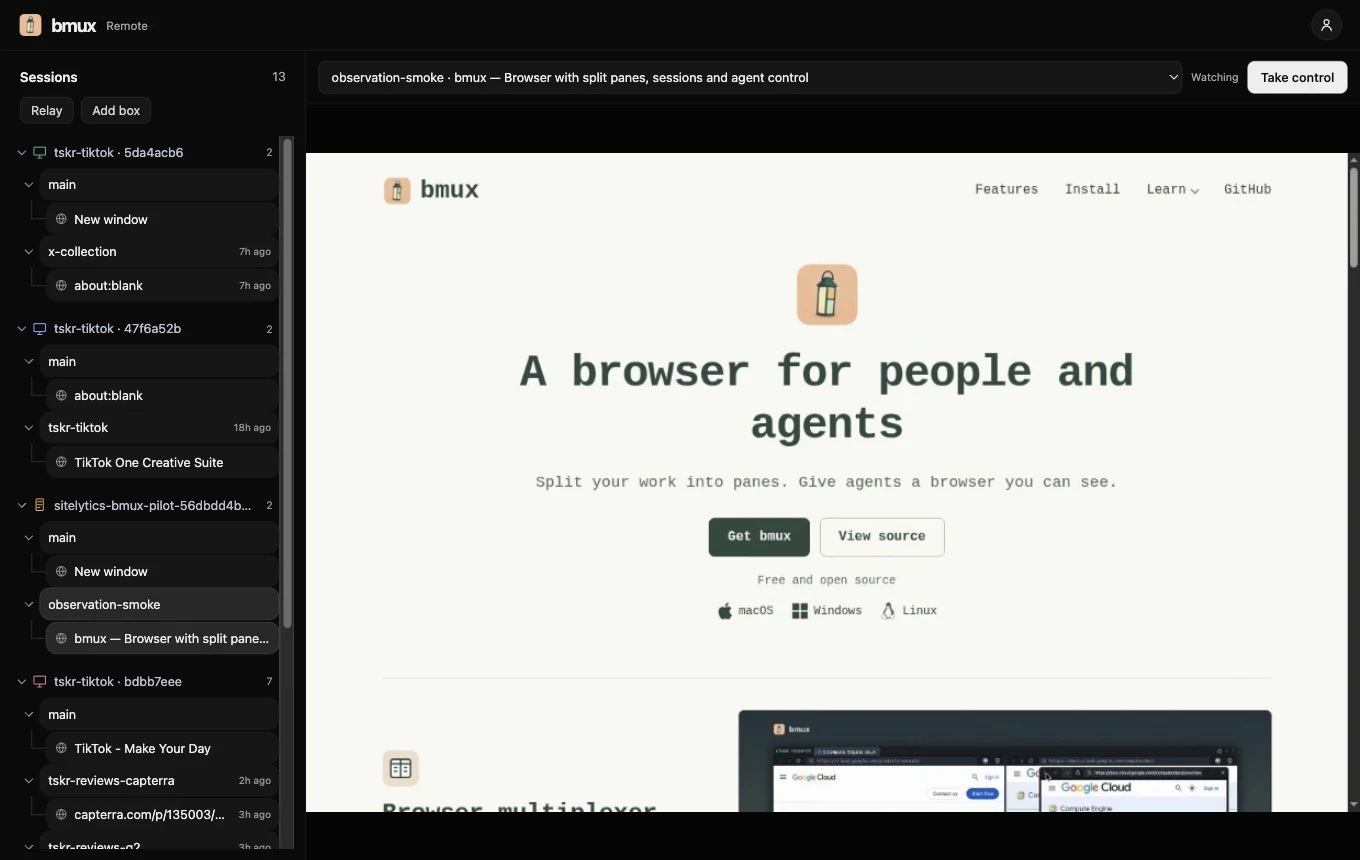
bmux 0.1.11 brings remote sessions into the desktop workspace. Open a browser running on another machine and keep its numbered windows, split panes, and floating references together. The Sessions panel also shows machine trees, cached page previews, and details about the agents using those pages.
This update covers the changes since the 0.1.9 article and its 0.1.10 patch. Alongside remote access, it adds clearer agent feedback, reorganized Bot settings, pane layout commands, and fixes for everyday browsing.
Open remote sessions in the regular workspace
Choose Sessions > Remote to find connected machines. Their sessions and numbered windows appear below each machine, using the same tree controls as Local. Select a machine to see its platform, version, access, and service, or choose a color to recognize it in your list.
Open a remote session on desktop and its host layout appears in the usual bmux frame. You can move between its windows and panes independently of the host's current selection. Pane controls let you connect, take control, or disconnect. Changes made to the layout on the host appear in the viewer.
The desktop viewer keeps up to two visible panes live in a workspace, within the account's live-view allowance. Other panes show previews. Selecting a preview promotes that pane and releases the least recently selected live pane in the workspace. The host's pages keep running when a viewer disconnects.
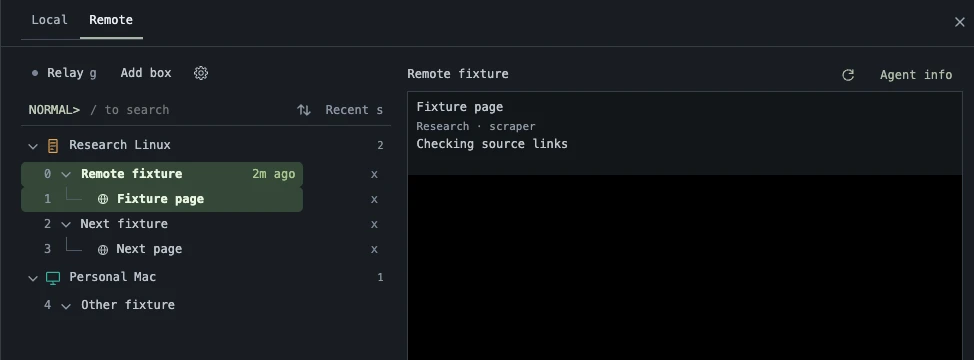 Real desktop capture from passing CI on the release source, cropped to the machine tree and sample agent details. The machine names and activity are fixtures.
The desktop capture shows how the machine, session, and window levels fit together. Cached previews help you recognize pages before opening a live stream. Agent details open beside the list, and the back chevron or Escape returns to the preview.
The web viewer gives you access from a browser, including on a phone. The native iOS and Android companions are still being prepared for release. See the remote hosting guide for connection setup and account limits.
Choose Take control to show the navigation and text input toolbar. Fit viewport resizes the page on the host to match the space in your viewer.
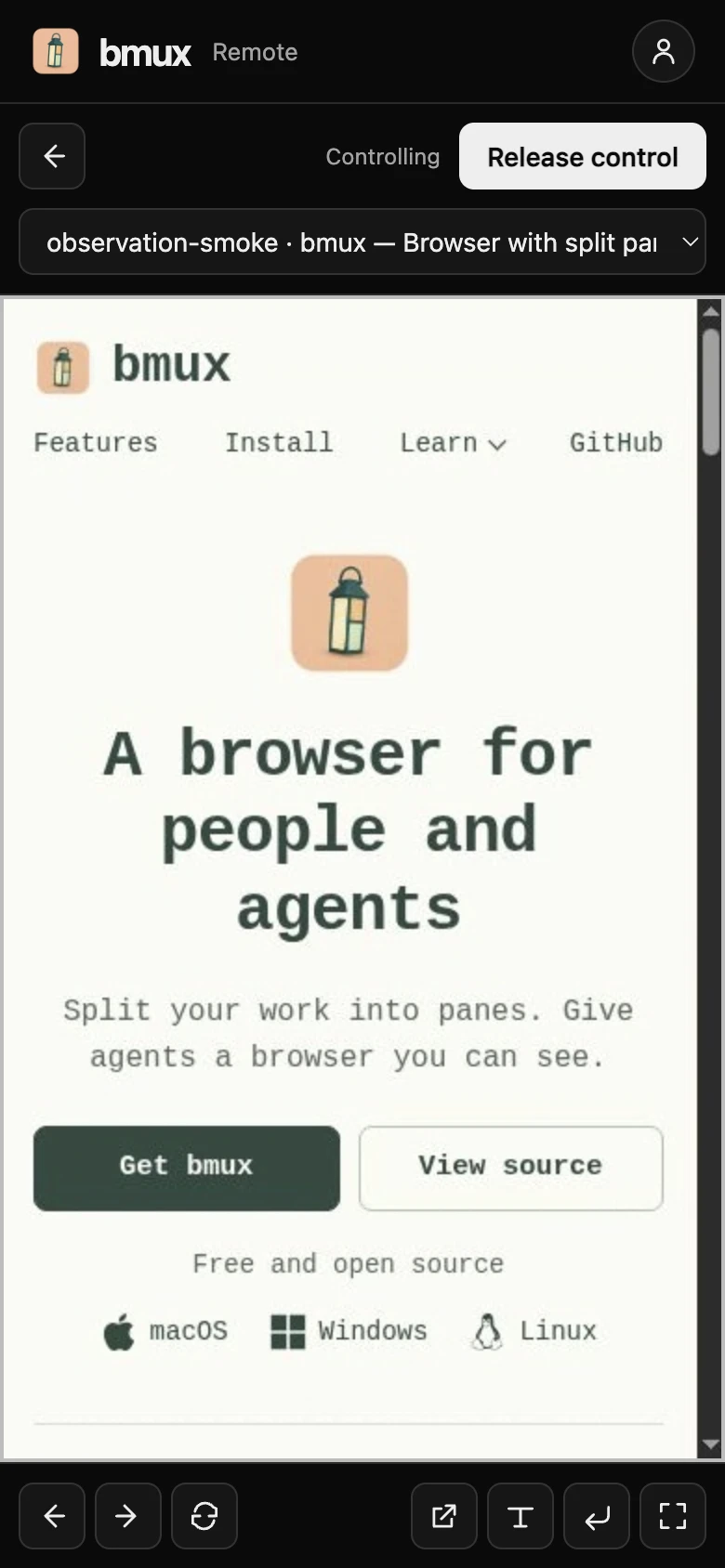 The same page in Controlling mode in the web viewer at phone width. The bottom toolbar provides navigation and text input.
Connect your computer or set up a separate host
Connect this computer attaches the running desktop browser to your relay without restarting its sessions. Give the machine a recognizable name so you can find it in Remote later.
For your own server, choose Add box > Self-hosted, name the box, and download its host configuration. Run with Docker provides commands with a separate container and persistent data volume for that box. Each configuration keeps its own host identity, and Revoke key disconnects hosts using it.
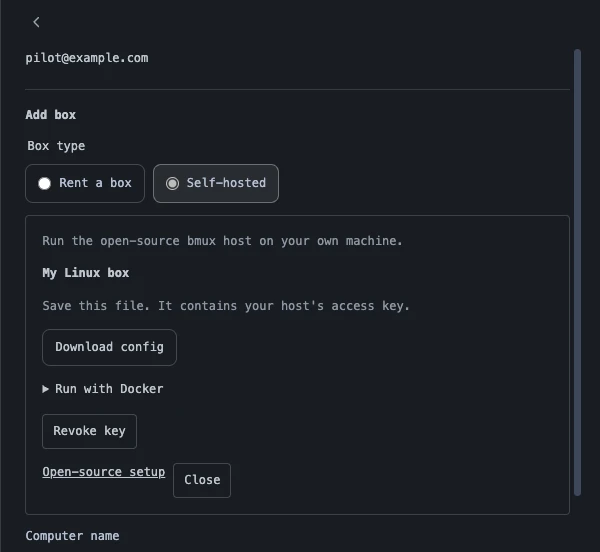 Real bmux self-host setup captured in a disposable CI profile with a sample account.
The panel above keeps setup and revocation beside the machine configuration. Linux x64 and arm64 release archives remain available for hosts you operate yourself. The remote hosting guide covers the required libraries, persistent storage, and Docker setup.
Opening an ordinary web link from another desktop application now takes bmux back to its latest local session. Remote viewing releases its streams when you leave; the remote job continues on its host.
See what an agent is doing and take over when needed
Agent feedback now distinguishes reading from action. Reads pulse the page, while clicks and pointer movement use a visible agent cursor. Pane controls identify the agent and open its details, including terminal context when the caller supplies it.
Cursor appearance and feedback timing are configurable. The last agent remains discoverable after its immediate action finishes, so you can inspect who used a page even when it is no longer showing a moving cursor.
Automation notices retain their history and identify the affected pane and agent. You can inspect a saved warning, return to its page, or use a temporary input override to handle a step yourself. Commands queued for one pane stay bound to that pane, including when pages close or navigation changes the destination.
An automation script can also request human help explicitly with bmux remote attention. The remote flow opens the affected page in Watch mode, lets the human take control, and uses an explicit resume and verification step before the job continues. The agent guide describes the commands and handoff.
Configure Bot settings and browser tools in one place
Bot settings now use tabs, sliders, and presets for the controls that previously occupied a long form. Website exclusions expand inline. Automation pacing applies to each hostname within a profile, so unrelated sites keep their own action pauses.
Built-in browser tools are grouped under Plugins, with detail views and direct toggles. The dark-mode tool can optionally show a button beside the address bar. Plugin popups stay attached to their pane, and automatic hooks have their own setting.
| Task | Where to start |
|---|---|
| Inspect the agent using a page | Agent control in that pane's toolbar |
| Adjust automation feedback and limits | Bot settings |
| Configure a built-in browser tool | Plugins and the tool's detail view |
| Reconnect a remote browser | Sessions > Remote |
| Arrange several tiled panes | Layout commands in the command prompt or CLI |
Arrange panes and recover interrupted browsing
The new layout commands include tiled, even-horizontal, and even-vertical. Use select-layout from the CLI or the tmux-style layout shortcuts in the keyboard guide. Splitting from a zoomed pane now reveals the new split, and profile settings remain above live pages while you adjust them.
Sessions adds sound toggles, while window activity ages track page work separately from visiting or inspecting a window. Headless hosts can opt into loading inactive restored pages on demand; the memory guide explains the setting.
Browsing fixes cover address suggestions after deleting text, automatic proxy retry and clearer connection errors, HTTP/2 recovery on reload, and Bitwarden inline fields. Google search result navigation and Click Mode also handle result links more consistently.
Get bmux 0.1.11
Download the update from the homepage or the 0.1.11 release. Packages cover macOS Apple Silicon and Intel, Windows x64, and Linux x64 and arm64. macOS packages are signed and notarized.
Homebrew users can run brew upgrade --cask tonisives/tap/bmux. Installed macOS releases can also download updates in the background and apply them when you quit, or through bmux > Restart to Update.
The complete source comparison includes the remote workspace, agent feedback, settings, and browsing changes in this release.